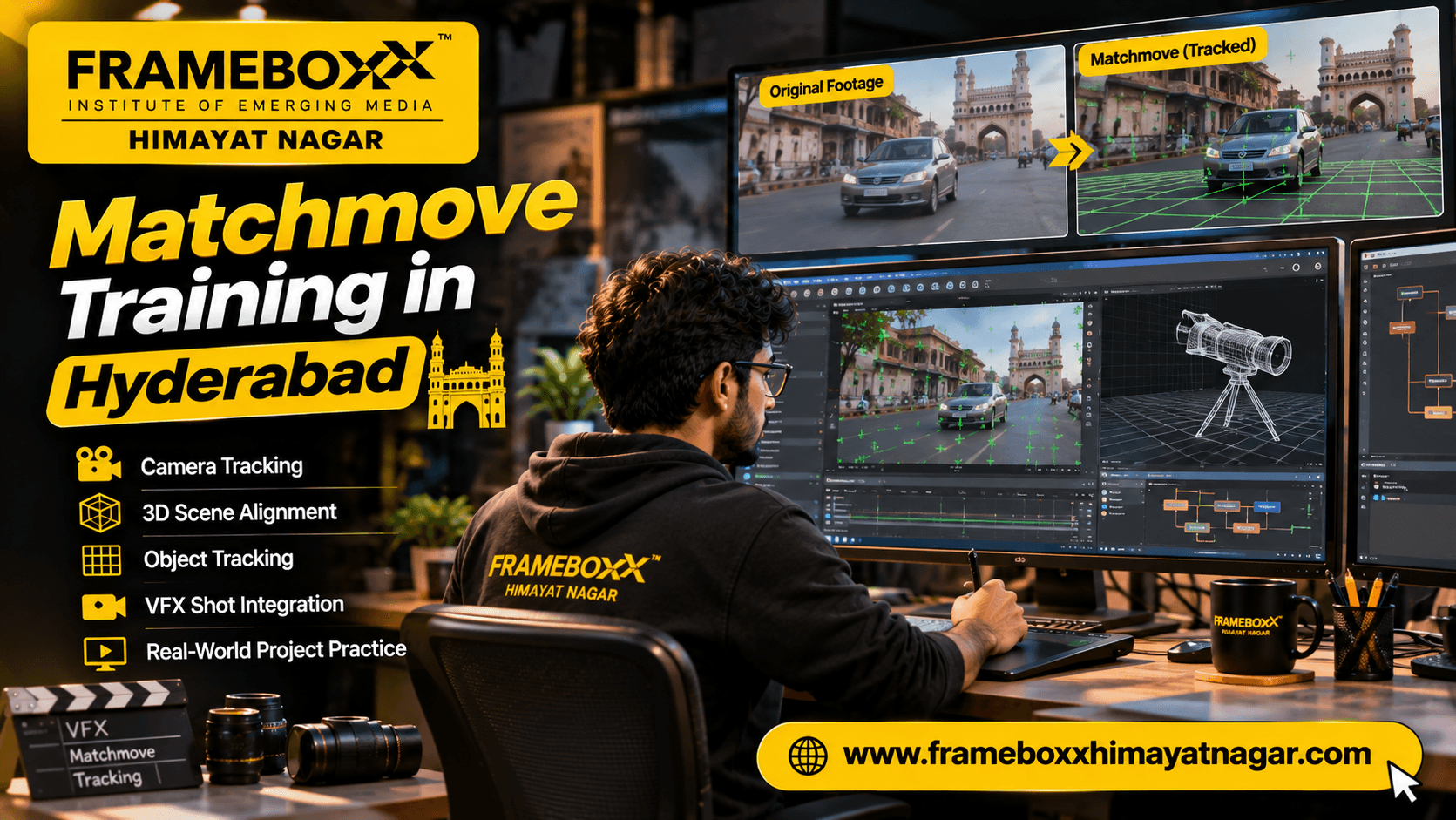
If you want to work in visual effects, learning how to make computer-generated elements move naturally with real footage is an important production skill. This is where matchmoving comes in. It helps VFX artists recreate a live-action camera's movement or track an object so that digital elements can be placed accurately into a shot.
Matchmove training in Hyderabad is relevant to students who want to understand camera tracking, 3D tracking, object tracking and their role in the VFX pipeline. Before choosing a programme, it is important to understand what matchmove artists actually do, which technical skills they need, what practical exercises matter and how to evaluate the quality of training.
Frameboxx Himayatnagar offers training in Animation, VFX and Digital Design. Students interested in matchmove can enquire about the current VFX programme structure and whether the relevant matchmove modules, software and practical projects are available at the Himayatnagar centre.
What Is Matchmoving in VFX?
Matchmoving, also called matchmove or camera tracking, is the process of analysing live-action footage to recreate the movement of the original camera or track selected elements within a shot. The resulting tracking information helps VFX artists position computer-generated objects so they appear connected to the filmed environment.
For example, imagine a film shot showing a moving camera travelling along a road. The VFX team wants to add a digital building beside the road. If the virtual camera does not follow the movement and perspective of the original camera, the building may appear to slide, float or move unnaturally.
A successful camera track helps the virtual camera reproduce the original camera movement. This allows the 3D building to appear as though it was present when the footage was filmed.
Matchmoving is used in workflows involving:
- Adding 3D objects to live-action footage.
- Integrating digital environments into filmed scenes.
- Placing computer-generated elements into moving shots.
- Tracking objects or surfaces for visual effects.
- Supporting camera reconstruction and compositing.
- Creating tracking data for downstream VFX work.
What Does a Matchmove Artist Do?
A matchmove artist analyses footage and creates tracking data that other artists can use in a VFX production.
The exact task depends on the shot. Some assignments require recreating a moving camera in 3D space, while others require tracking an individual object or surface.
1. 3D Camera Tracking
Camera tracking is used to estimate how the original camera moved while recording a scene.
The artist identifies trackable visual features across multiple frames and uses their movement to calculate a virtual camera. The resulting camera should reproduce the movement and perspective changes visible in the footage.
A good camera solution helps other departments place 3D assets into the scene.
2. Object Tracking
Object tracking focuses on following a particular object or surface through a sequence.
For example, a VFX shot may require a digital graphic to remain attached to a moving vehicle, a screen, a prop or another visible object.
The tracking approach depends on the object's movement, surface characteristics, visibility and the intended visual effect.
3. Tracking Data Preparation
A matchmove artist may need to organise, refine and prepare tracking information for other departments.
This can include checking track stability, setting an appropriate scene orientation, reviewing coordinate systems and preparing usable camera or object data for a downstream workflow.
4. Supporting VFX Compositing
Matchmove is closely connected to compositing because tracking data helps compositors integrate digital elements into filmed footage.
For example, a compositor may use a solved camera to place a 3D object into a scene. The matchmove work provides the spatial and motion information needed for that integration.
Matchmove vs Camera Tracking vs Object Tracking
These terms are related, but they do not always describe exactly the same task.
| Term | What it means | Example |
|---|---|---|
| Matchmoving | A broader VFX tracking process used to match virtual elements with live-action footage | Recreating camera movement for a VFX shot |
| 3D camera tracking | Estimating the original camera's movement and reconstructing a virtual camera | Adding a CGI building to a moving street shot |
| 2D tracking | Following image features across frames in screen space | Attaching a graphic to a moving point |
| Object tracking | Following the movement of a specific object or surface | Keeping a digital label aligned with a moving product |
A student should understand these distinctions because different shots require different tracking methods. A simple 2D track is not a replacement for a full 3D camera solve when the shot requires accurate perspective and camera movement reconstruction.
How Does the Matchmove Workflow Work?
A matchmove task is not simply clicking an automatic tracking button. The artist must assess the footage, select suitable features, check the tracking result and refine the solve when necessary.
A typical 3D camera tracking workflow includes the following stages.
Step 1: Analyse the Footage
The artist first studies the shot to understand:
- Whether the camera is moving or stationary.
- Whether the camera is rotating, translating or doing both.
- Which areas contain useful visual features.
- Whether moving objects could interfere with tracking.
- Whether motion blur, reflections or low-texture surfaces create difficulties.
- Whether lens distortion needs to be considered.
This assessment helps determine an appropriate tracking approach.
Step 2: Identify Trackable Features
Tracking software looks for visual features that can be recognised across multiple frames.
Useful features may include corners, textured surfaces, high-contrast details and other distinctive points.
Features that move independently of the environment can create problems for a camera solve. For example, a moving person should not normally be treated as a fixed point in the background scene.
Step 3: Generate and Review Tracks
Tracking tools can generate feature tracks automatically. The artist then reviews whether those tracks follow the correct points across the sequence.
Poor tracks may drift, jump between features or disappear when an object becomes hidden.
A reliable result requires more than a large number of tracking points. Their distribution, consistency and relationship to the real scene also matter.
Step 4: Solve the Camera
The camera solver uses the tracking information to estimate the camera's movement and create a virtual camera.
The artist reviews the solve and checks whether the reconstructed camera behaves consistently with the original footage.
A camera solve should be judged by how well it reproduces the shot, not merely by whether the software completes the calculation.
Step 5: Refine the Solve
If the result is unstable, the artist may need to remove unreliable tracks, add manual tracks, adjust tracking settings or reconsider the camera model.
Some shots require additional attention because of:
- Low-texture environments.
- Fast camera movement.
- Motion blur.
- Moving foreground objects.
- Reflections and transparent surfaces.
- Rolling-shutter effects.
- Lens distortion.
- Limited visible background features.
Step 6: Set Up the 3D Scene
Once the solve is acceptable, the artist may establish a ground plane, scene orientation and scale where required.
This makes it easier for downstream artists to position virtual objects in a meaningful relationship with the filmed environment.
Step 7: Export and Validate the Tracking Data
The final tracking data may be passed to a 3D or compositing workflow.
The artist should check that the exported camera or tracking information behaves correctly when used with test geometry or other scene elements.
What Skills Do You Need to Learn Matchmoving?
Matchmove combines visual observation, technical problem-solving and an understanding of camera behaviour. You do not need to begin as an experienced VFX artist, but you should be prepared to develop these skills through regular practice.
Understanding Camera Movement
Learn the difference between camera rotation and camera translation. Understand how perspective changes when a camera moves through a scene.
This knowledge helps you identify which camera movement model is appropriate for a shot.
Observation and Attention to Detail
A tracking point may appear correct in one frame but drift in another. You need to inspect footage carefully and identify when a track is no longer following the intended feature.
Basic 3D Understanding
Knowledge of 3D space, coordinates, axes, camera position, focal length and scene orientation makes camera solving easier to understand.
Problem-Solving
Not every shot can be solved automatically. You need to recognise why tracking data is failing and decide what to adjust.
Understanding the VFX Pipeline
Matchmove artists work with information used by other departments. Understanding how tracking connects with modelling, animation, lighting and compositing helps you prepare usable outputs.
Patience and Consistency
Some shots require detailed manual refinement. Consistent checking across the full frame range is important because even small tracking errors can become visible when a digital element is composited into the footage.
Which Software Is Used for Matchmoving?
The software used depends on the studio, production pipeline and type of tracking work.
Foundry Nuke
Foundry Nuke includes tracking tools used in compositing workflows. Its CameraTracker functionality can analyse footage and create a virtual camera whose movement matches the original camera.
Nuke also includes 2D tracking tools that can extract image movement and apply tracking data to another element.
Students should understand the difference between these workflows:
- 2D tracking: follows image features in screen space.
- 3D camera tracking: estimates camera movement and creates a virtual camera and related 3D tracking information.
- Match-moving an element: applies tracking information so an inserted element follows the movement of the footage.
Official documentation: Foundry Nuke Camera Tracking
Other 3D and VFX Tools
Depending on the production pipeline, tracking data may be used with 3D software and compositing applications. A student should ask which software versions and workflows a training programme actually covers instead of assuming that every institute teaches the same tools.
Important: Software names in this section explain industry workflows. They should not be interpreted as confirmation that every listed application is included in the current Frameboxx Himayatnagar programme.
Practical Matchmove Projects to Build a Portfolio
A portfolio should demonstrate that you can solve real tracking problems, not simply operate software.
Here are useful practice briefs for someone learning matchmoving.
Project 1: Track a Moving Camera Through a Street
Objective: Reconstruct the camera movement in a street or outdoor environment.
What to practise:
- Finding stable background features.
- Tracking points across the sequence.
- Identifying moving objects that should not influence the solve.
- Solving and reviewing the camera.
- Testing the solve with simple 3D geometry.
What to show: Original footage, tracking points, solved camera and a comparison showing whether the test geometry remains stable in the scene.
Project 2: Add a 3D Object to a Live-Action Shot
Objective: Place a simple digital object into a moving-camera shot.
What to practise:
- Creating or importing basic 3D geometry.
- Using the solved camera.
- Establishing scene orientation.
- Checking the object's position and scale.
- Reviewing whether the object appears anchored to the environment.
What to show: Original plate, tracking setup, 3D scene and final composite.
Project 3: Track a Moving Vehicle
Objective: Follow a vehicle or another moving object through a sequence.
What to practise:
- Identifying suitable object features.
- Handling partial visibility.
- Reviewing tracking drift.
- Understanding when object tracking is more appropriate than camera tracking.
What to show: Tracking points, object movement and the final tracked element.
Project 4: Track a Surface for a Screen Replacement
Objective: Replace the content displayed on a screen while keeping the replacement aligned with the screen's movement and perspective.
What to practise:
- Identifying surface corners.
- Tracking perspective changes.
- Handling partial obstruction.
- Checking the replacement for slipping or misalignment.
What to show: Original footage, tracking result and final screen replacement.
Project 5: Compare a Weak Solve with a Refined Solve
Objective: Demonstrate how tracking quality improves through inspection and correction.
What to practise:
- Identifying drifting tracks.
- Removing unreliable points.
- Adding or refining tracks.
- Re-solving and comparing results.
What to show: Before-and-after tracking views and a short explanation of the changes made.
What Makes a Good Matchmove Result?
A tracking result should be evaluated using practical visual and technical checks.
| Evaluation area | What to check |
|---|---|
| Track stability | Do tracking points remain attached to their intended features? |
| Track distribution | Are useful features spread across the relevant image areas? |
| Camera movement | Does the solved camera reproduce the original shot's movement? |
| Scene alignment | Does the reconstructed scene have a consistent orientation? |
| 3D integration | Does test geometry remain visually anchored to the footage? |
| Frame consistency | Does the result remain stable throughout the sequence? |
| Handoff quality | Can another artist understand and use the exported tracking data? |
A useful portfolio breakdown should include the original footage, the tracking process, the final solve, a test integration and a short explanation of the challenges encountered.
Common Matchmove Mistakes Beginners Should Avoid
1. Trusting Every Automatic Track
Automatic tracking can generate incorrect points. Review the tracks and remove points that follow moving objects or drift away from their intended features.
2. Using Too Few or Poorly Distributed Features
A group of tracking points concentrated in one small area may not provide enough useful information for a reliable camera solve.
3. Ignoring Moving Objects
People, cars, moving props and other independent objects can interfere with camera tracking if they are treated as fixed features in the environment.
4. Ignoring Lens Distortion
Lens distortion can affect how the scene appears and may need to be handled as part of the tracking and compositing workflow.
5. Checking Only One Frame
A solve may look convincing at a particular frame but drift elsewhere. Always review the complete sequence.
6. Focusing Only on the Software
Knowing where the tracking buttons are is not the same as understanding camera movement, perspective, tracking errors and scene reconstruction.
Matchmove vs Rotoscoping vs Compositing
These are different VFX tasks, although they often work together in a production pipeline.
| Specialisation | Main purpose | Typical task |
|---|---|---|
| Matchmove | Reconstruct camera or object movement | Creating a 3D camera track |
| Rotoscoping | Isolate objects or subjects using animated masks | Creating a matte around a moving person |
| Paint | Remove unwanted elements or repair image areas | Removing a wire or marker |
| Compositing | Combine visual elements into a finished shot | Integrating CGI with live-action footage |
A student interested in VFX should understand how these departments connect. Matchmove provides tracking information, while compositing uses that information to help integrate elements into the final image.
Career Paths After Learning Matchmove
Matchmove is a specialist skill within the wider VFX and post-production pipeline. Depending on individual skills, portfolio quality, production experience and employer requirements, relevant roles may include:
- Matchmove Artist
- Camera Tracking Artist
- 3D Tracking Artist
- Object Tracking Artist
- Junior VFX Artist
- VFX Generalist
- Compositing Artist, with additional compositing skills and experience
Learning matchmove does not automatically qualify someone for every role listed above. Employers may expect additional knowledge of compositing, 3D software, shot production, problem-solving and collaborative workflows.
A practical progression could look like this:
- Understand camera fundamentals and basic 3D concepts.
- Learn 2D tracking and 3D camera tracking.
- Practise object tracking and difficult footage.
- Build complete tracking exercises.
- Learn how tracking data is used in compositing and 3D workflows.
- Prepare a focused showreel or portfolio.
- Apply for suitable entry-level opportunities and continue improving through feedback.
Who Should Consider Matchmove Training in Hyderabad?
Matchmove may be worth exploring if you:
- Have completed Class 12 and are considering a creative technology career.
- Are a graduate interested in film, animation or visual effects.
- Enjoy understanding camera movement and how digital elements interact with real footage.
- Are already learning VFX and want to explore a specialist area.
- Want to understand the technical side of compositing and 3D integration.
- Are a working creative professional considering a move into VFX tracking.
You do not need to be an expert in mathematics or programming to begin learning the fundamentals. However, comfort with spatial thinking, visual observation and technical problem-solving can be helpful.
How to Choose the Right Matchmove Course in Hyderabad
Before enrolling, ask the institute specific questions about what you will actually learn and produce.
Check the curriculum
Ask whether the programme covers:
- Camera movement and tracking fundamentals.
- 2D tracking and 3D camera tracking.
- Object tracking.
- Feature selection and track refinement.
- Camera solving and scene setup.
- Lens distortion considerations.
- Exporting and checking tracking data.
- Integration with compositing workflows.
Ask about software
Find out which tracking and compositing applications are taught, which versions are available and whether students get sufficient supervised practice.
Review practical assignments
Ask to see examples of student tracking exercises or project breakdowns, where available. A useful programme should give students opportunities to work with footage rather than relying only on demonstrations.
Understand the portfolio expectations
Ask what you will be expected to complete by the end of the training. Find out whether you will create a camera-tracking breakdown, object-tracking exercise or final integration project.
Confirm programme details
Before making a decision, confirm:
- Whether matchmove is currently offered at the Himayatnagar centre.
- The exact programme name and curriculum.
- Course duration and class schedule.
- Eligibility and entry requirements.
- Fees and payment structure.
- Software access and practical project arrangements.
- Assessment and portfolio guidance.
- Any career guidance or placement assistance, including its actual scope and conditions.
These details should be confirmed directly with the centre because programme availability and structure can change.
Explore VFX Training at Frameboxx Himayatnagar, Hyderabad
If you are looking for matchmove training in Hyderabad, start by understanding the VFX skills you want to develop and checking whether the available programme matches your learning goals.
Frameboxx Himayatnagar is a local centre offering training in Animation, VFX and Digital Design. Prospective students can contact the centre to ask about its current VFX programme options and whether matchmove, camera tracking, object tracking and compositing are covered in the programme available at this location.
Before enrolling, request the current curriculum and clarify the software, practical assignments, duration, fees and portfolio expectations.
Visit: Frameboxx Himayatnagar, 6th Floor, Mahaveer Chambers, Chandra Nagar, Himayatnagar, Hyderabad, Telangana 500029.
Call: +91 99498 18811 or +91 91829 98498.
Explore: Frameboxx Himayatnagar
Take the next step: Speak with the team, explain your interest in matchmove and ask which current VFX training pathway is appropriate for your experience level.
Build Your Understanding of VFX Tracking Before Choosing a Course
Matchmoving is an important part of the VFX workflow because it connects the movement of a real camera or object with digital elements created for a shot. Learning it requires an understanding of camera behaviour, tracking features, 3D space, camera solving and the quality checks needed for reliable results.
If you are considering matchmove training in Hyderabad, compare programmes on the basis of actual curriculum, software exposure, supervised practice and portfolio work. Contact Frameboxx Himayatnagar to confirm the current VFX training options and identify a suitable learning pathway.